
Reviewing submissions
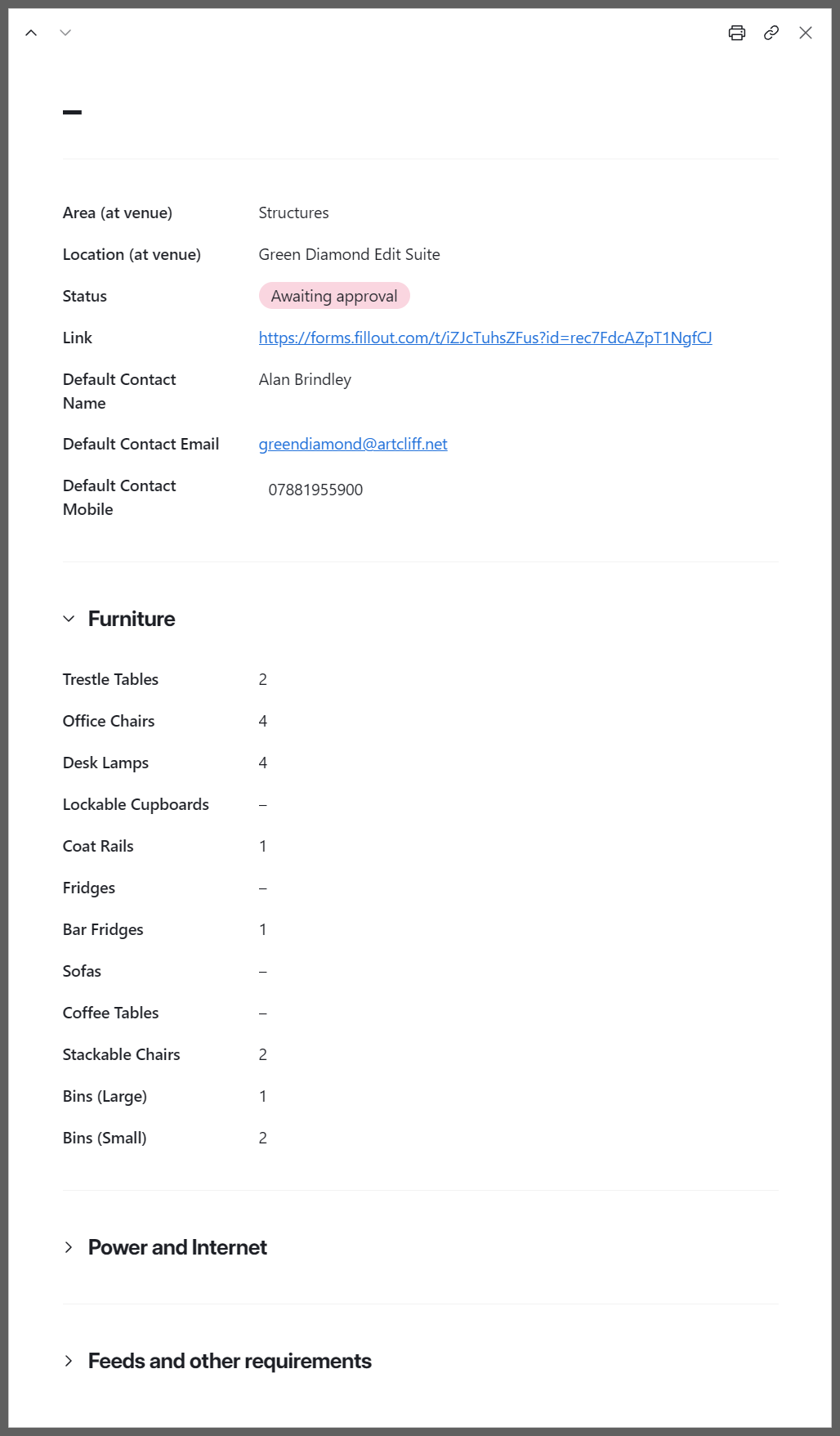
When the form has been completed for a location, the status for that request will automatically change to Awaiting approval. To review a request, click on the 'Open' link that appears beside the location's status when you hover over it, or anywhere in the blank space to the right of the Link column. This will open a side page with the request details.

|
The side page includes expandable sections for Furniture, Power and Internet and Feeds and other requirements.
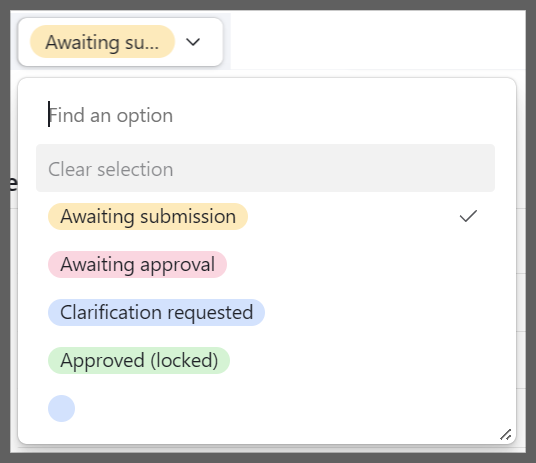
Once these have been reviewed, the status for that location should be changed to either Clarification requested or Approved (locked) by clicking on the current status in the Locations list and selecting the appropriate option from the dropdown (shown below).
When clarification is needed, an email should be sent to the appropriate contact asking them to make the necessary changes to the form using the original link. |
 |
Once status has been set to Approved (locked), no further changes can be made via the link. Instead, details of the request will be displayed along with an email address for any urgent last minute changes.