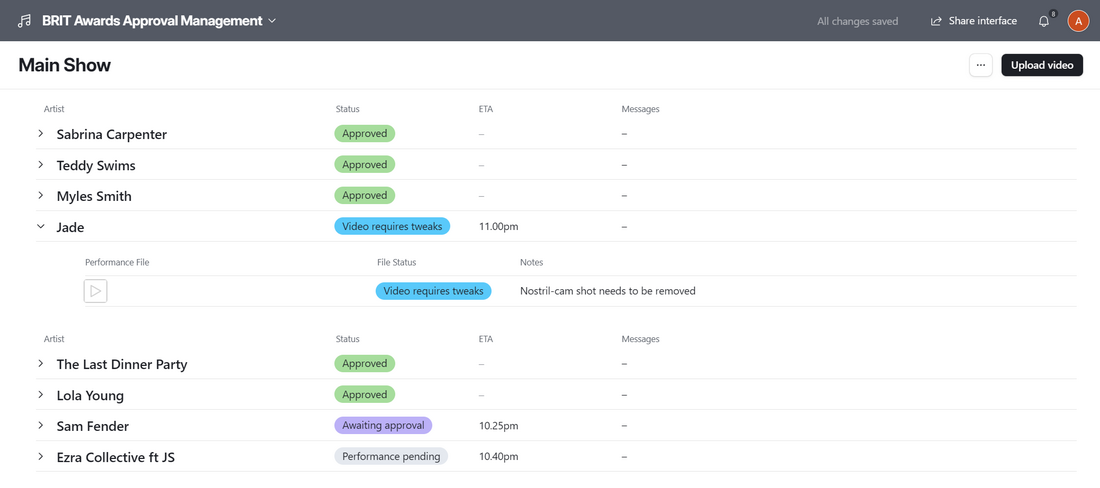
Performance Status page
To access the app, you will log onto Airtable at the link you were sent when you were invited to use the app. Once logged on, you will see the performance status page, as shown below. Clicking on the > icon to the left of an artist's name will show you the files that have been uploaded for approval for that artist. Clicking on a ▶️ icon in the 'Performance File' column will play that file.