
Locations
'Locations' are spaces allocated to specific individuals or organisations. An example would be the space allocated to the BAL Digital team, which is a room in the Dressing Rooms area.
To add this location to the requests database, simply select Locations (sorted by company) or Locations (sorted by area) from the menu, then click the Add a location button.
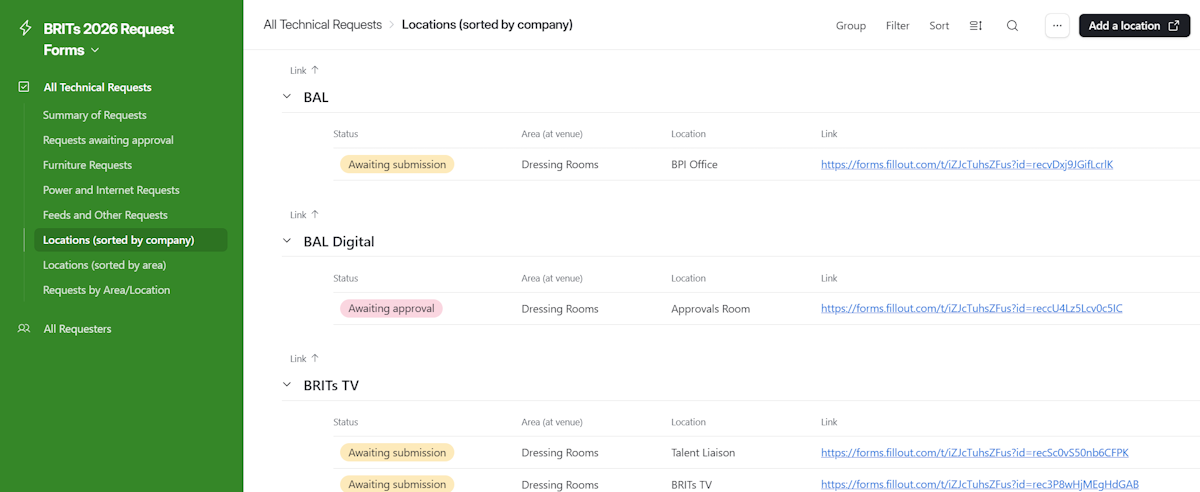
After clicking the Add a location button, you will be taken to a form that will allow you to select the individual or organisation and enter the area and location of the space allocated to them.
Click on the + Select button to see a list of individuals and organisations already in the system. Click on the appropriate name to select that individual or organisation. You can narrow down the list by entering a few characters into the Search for option... box, and you can also add a new individual or organisation by clicking + Create new.
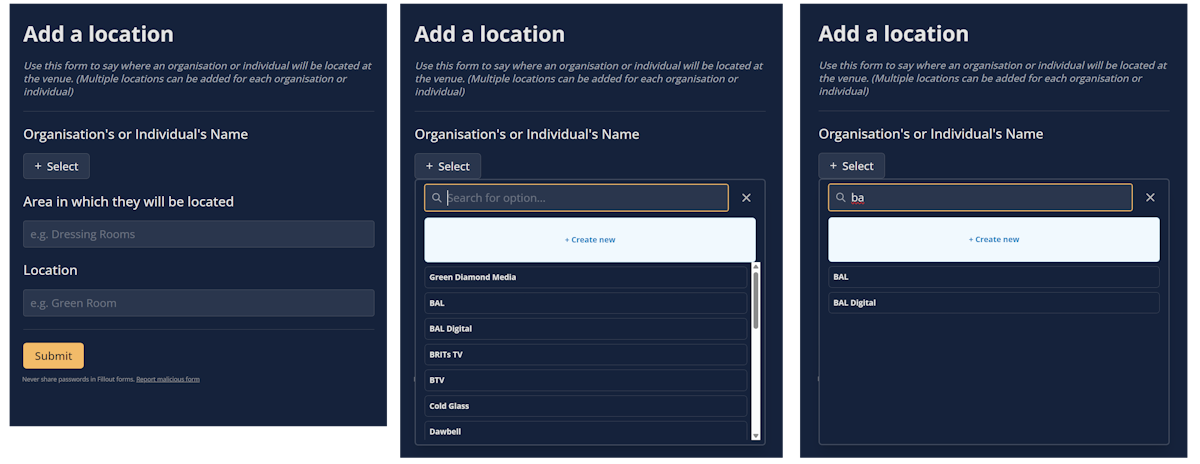
Once you have selected the correct name, enter the Area and Location of the space allocated to the individual or organisation and click the Submit button.