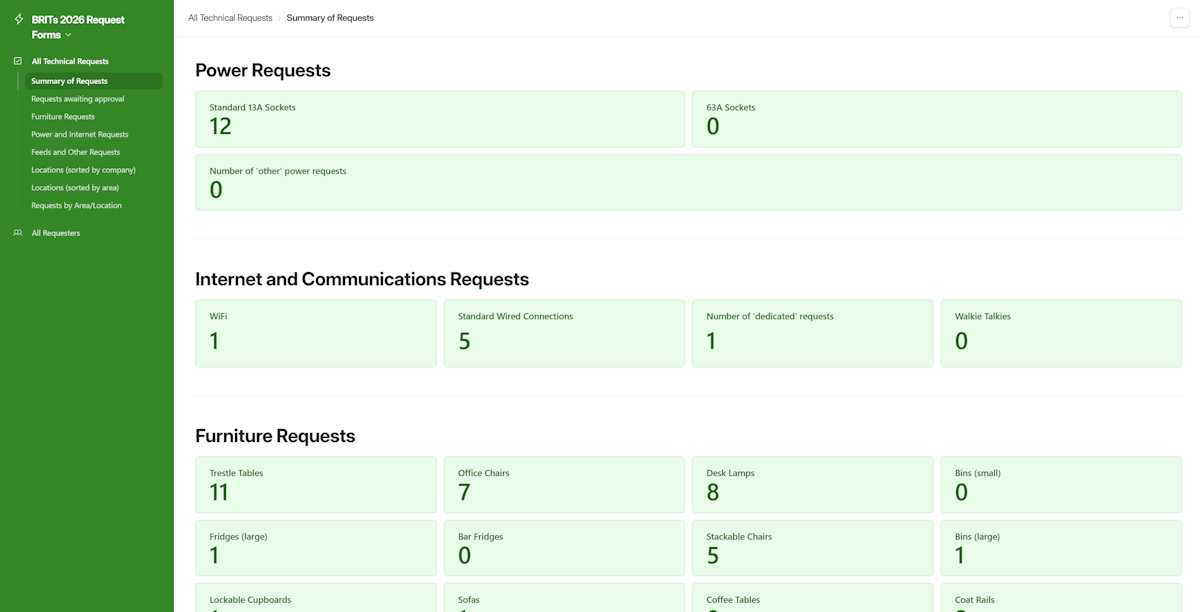
Main Menu
When you log onto Airtable at the link you were sent when you were invited to use the app, you will see the main menu, as shown below (the left-hand panel), along with a summary of requests received to date (the right-hand panel).
Depending on the access level you have been granted, you may have the ability to add to and edit lists, or you might simply have the ability to view lists.
The All Requesters menu option takes you to the list of organisations and individuals who can submit requests.
The All Technical Requests menu option contains a range of sub-options allowing you to view requests in different ways. For example, the there are options taking you to views limited to the specific types of request shown (Power and Internet/Furniture/Feeds and Other).