Emailing unique links
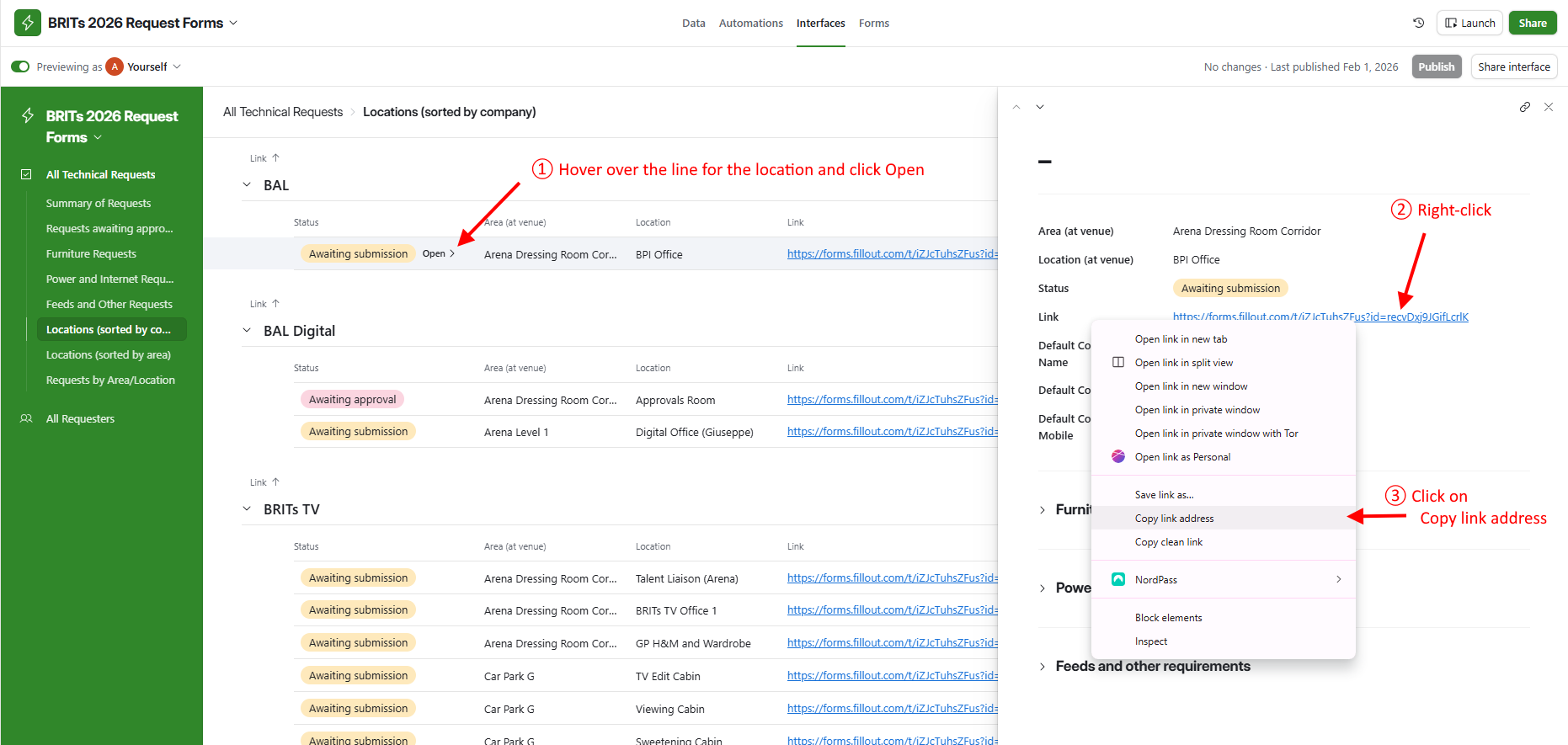
Once locations have been added for an organisation or individual, draft an email to them asking that they complete the Technical Request Form, and include the unique link for each location they are responsible for. (Right-Do not right-click each relevantthe link in the Locations listlist, as that will copy an Airtable link instead of the correct Fillout link.) Hover over the line for a location and click Open, then right-click the link in the side-panel that appears and select Copy,Copy link address, then paste eachthe link into the email.
To make things clearer for a recipient who will receive multiple links, it would be good to add a description to each link. e.g. Design Office: https://forms.fillout.com/t/iZJcTuhsZFus?id=rec0NNhdgh96Hb)